 GLYA
GLYA, a food log for iPhone, from GLY Studio
Every meal, a likely calorie range.
Snap a photo or tell Siri what you ate. GLYA gives every meal a likely calorie range1, shows your day by food group, and keeps your log on your iPhone.
- No account
- No ads or tracking
- Photos analyzed on your iPhone2

Yearly: 7 days free for new subscribers4, then $49.99 a year unless you cancel at least 24 hours before the trial ends (Settings › your name › Subscriptions). Monthly: $12.99 a month, no trial. Prices
- Breakfast, typed: “250 g greek yoghurt and 125 g raspberries”
Greek yoghurt and raspberries
About 219 kcal Likely 164–365 kcal - Snack, from the pack’s label
Oat & almond bar
About 194 kcal Likely 159–235 kcal, for the amount you had - Dinner, typed: “salmon, rice and broccoli”
Salmon, rice and broccoli
About 539 kcal Likely 255–1,138 kcal. No amounts given, so the range is wide.
Example meals. Figures are GLYA’s own, worked out by its food engine.
Three ways in
Log it the way you’d say it.
Every way in ends at the same place: a meal on your day, with a likely range you can check and change.
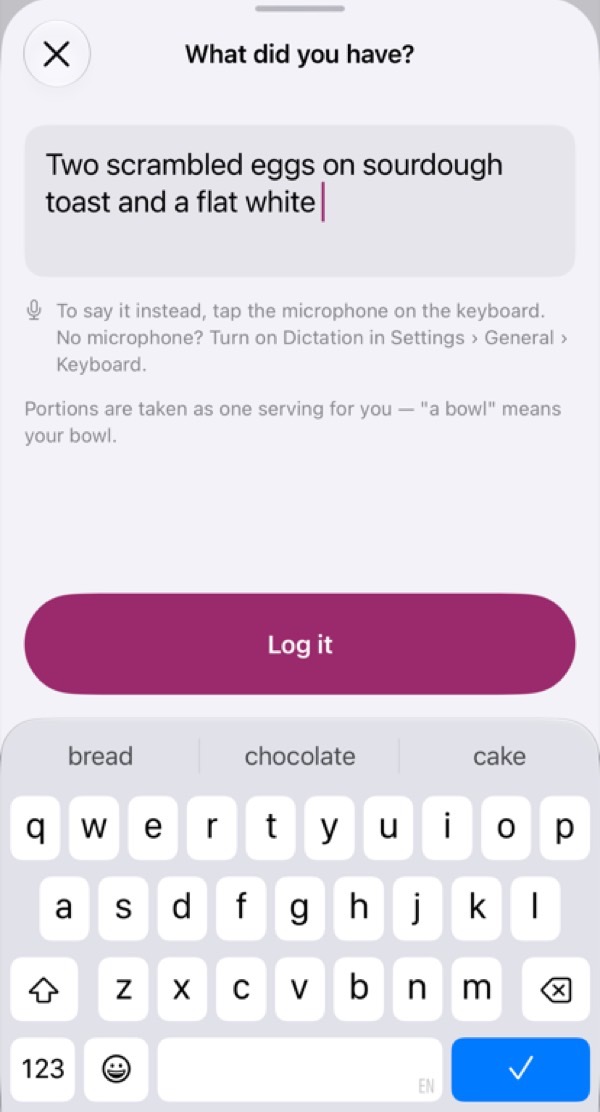
Say it or type it
“Two eggs, toast and a flat white”
One sentence logs the whole meal. Or ask Siri: “Log a meal in GLYA.”
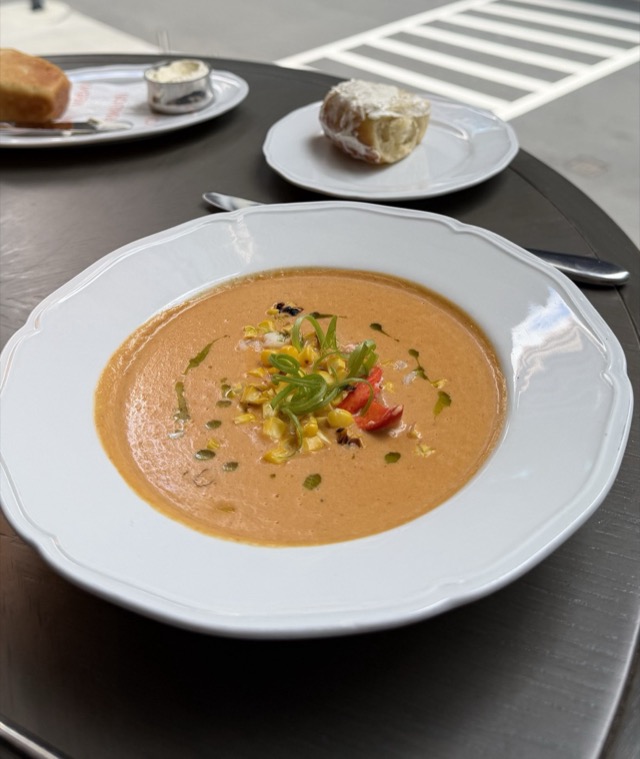
Snap your plate
Looks like lobster bisque
GLYA suggests what’s on the plate and estimates the portion, on your iPhone.
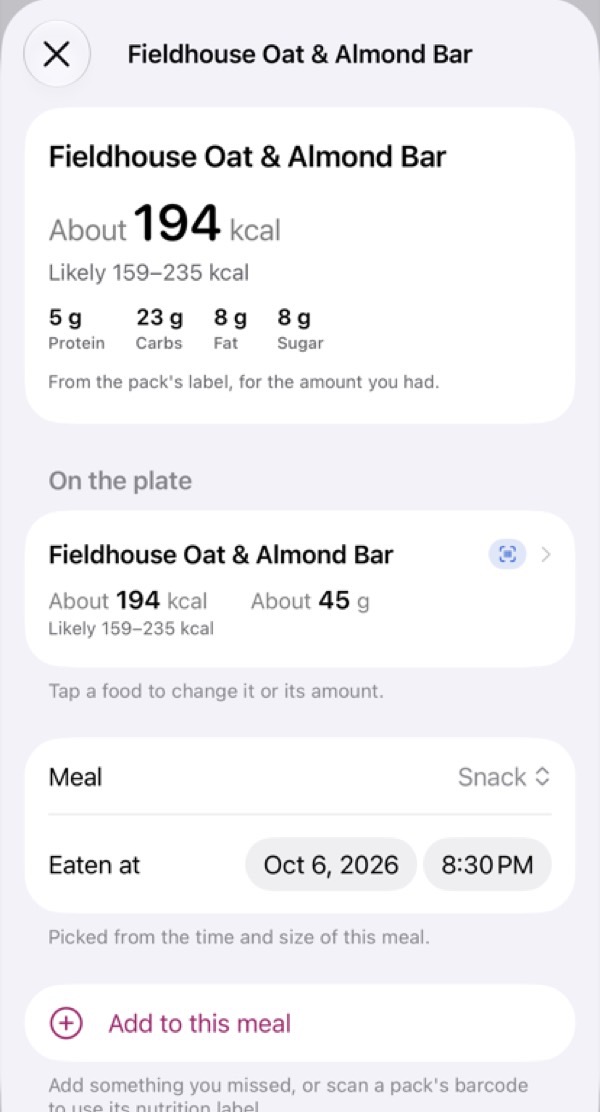
Scan a barcode or label
From the pack’s own label
Packaged food uses the figures printed on the pack.
Recognizing food from a photo, and reading a restaurant’s menu, work best on an iPhone with Apple Intelligence turned on. On other iPhones GLYA recognizes fewer foods; say or type the meal and it still estimates it.
Why a range
A photo or a sentence can’t weigh food. GLYA says so.
23,000+ entries · food tables from 5 countries · packs from Open Food Facts
Most apps show one confident number. GLYA shows its best estimate and the range the calories are likely in. Tell it more, such as which food it was or what it weighed, and the range can narrow.
Anything wrong? Pick the right food, change the amount, or enter the weight if you weighed it. Half a plate counts as half.
Figures come from more than 23,000 entries3 in national food tables from the US, UK, Canada, France and Japan, plus packaged foods by barcode. We haven’t yet compared GLYA’s ranges with weighed real meals. How GLYA estimates calories explains the sources, the range and its limits.
“A bowl of spaghetti bolognese”
About 363 kcal
Likely 181–725 kcal
GLYA’s own figures for this example, from its food engine. A weight replaces GLYA’s guess of the amount, so the range narrows, and the figure can move up or down. It doesn’t close, because what’s in the food still varies.
Privacy, drawn out
Your log lives on your iPhone.
0 accounts · 0 ad or analytics trackers · 1 place to delete your data
No account to make, nothing to sign in to. Here is what stays, what you can share with Apple Health, and what goes online. The privacy policy describes each case.
Kept on your iPhone and in its backups
- Your meals, photos and health detailsThe app never sends them to GLY LLC. Meal pictures stay out of backups.
- Meal photos are analyzed on your iPhoneGLYA never uploads them itself. It adds a copy to your Photos library only if you turn that on.
- No sync between devicesMove your log to a new iPhone with a backup or Export. Deleting the app deletes your log.
- Delete your data at any timeYou › Your data › Delete all my data. Copies in Apple Health, Photos and older backups stay until you delete them there. It doesn’t cancel a subscription.
Shared with Apple Health, if you allow it
- The meals and drinks you logUnder your control in the Health app, which can sync it across your Apple devices.
- Other apps you allow can read itChange this at any time in Health.
Goes online or to Apple: never your log or details, apart from what GLYA gives Siri
- A scanned barcode numberto Open Food Facts, to look up the pack
- Your location, if you allow itto Apple Maps each time you open the camera
- Restaurants in your logtheir Apple Maps identifiers, to show their names
- A restaurant name you typeto Apple Maps, with your area if you allow location
- A restaurant’s own websiteonce you confirm it, to read the menu
- Siri, dictation and subscriptionshandled by Apple; when you use Siri with GLYA, that includes the meals and totals GLYA gives Siri
Each request comes from your internet address.
GLYA is paid for by subscriptions. No ads, and we don’t sell or share your data.
Under the hood
The details, for people who read them.
What GLYA runs on, and what it doesn’t.
| Photo recognition | On your iPhone. Works best with Apple Intelligence turned on; other iPhones recognize fewer foods. |
|---|---|
| Portion size | On iPhone Pro models, the depth sensor helps estimate your portion. |
| Food data | More than 23,000 entries from national food tables (US, UK, Canada, France, Japan), plus packs by barcode from Open Food Facts. |
| Account | No account or sign-in in the app. |
| Ads, analytics, trackers | None. |
| Apple Health | Saves the meals and drinks you log, if you allow it. |
| Devices | iPhone with iOS 27 or later. Works on iPhone Duo. No iPad, Apple Watch or Android app. |
| Ages | For adults aged 18 and over. |
A tool, not a diet
Food is information here, not a score.
No good or bad days
“About 220 kcal above your target”, never “you went over”. No food is called good or bad.
Hide calories, hide streaks
See your foods, amounts and food groups without calorie numbers, and turn streaks and badges off, in You › Settings.
Your day by food group
Your day against a daily guide. The top layer is a guide to stay under, not a goal.
A target only if you want one
A daily target is optional, never below a safe minimum, and GLYA never praises eating less.
Counting calories isn’t right for everyone. GLYA gives estimates to help you keep track. It is not medical advice, and it does not diagnose, treat or prevent any condition. Don’t use its figures to work out a dose of insulin or any other medicine. Check with your doctor or a registered dietitian before changing how you eat.
If food or eating worries you, GLYA lists helplines for your region in You › About › Eating disorder support.
And the awkward meals
Restaurants, shared tables, packets.
Reads the menu
At a restaurant, GLYA can read the menu on its own website to find your dish, on iPhones with Apple Intelligence turned on.
Shared a table?
Hot pot or tapas: tap Shared? and log just your share.
Apple Health
The meals and drinks you log, saved to Health if you allow it.
Prices
Try it first, then choose.
Logging is free for 24 hours from your first meal, or for 3 meals, whichever comes first.
Yearly
$49.99 a year
7 days free for new subscribers, then $49.99 a year unless you cancel at least 24 hours before the trial ends. We remind you two days before it ends (by notification if you allow them).
Monthly
$12.99 a month
No free trial.
Without a subscription, everything you’ve logged stays yours to see, change, delete and export. Cancel in Settings › your name › Subscriptions.
Billing details
Billed by Apple: payment is charged to your Apple Account when you confirm the purchase. The yearly free trial becomes a paid yearly subscription when it ends unless you cancel at least 24 hours before it ends. Subscriptions renew automatically unless you cancel at least 24 hours before the end of the current period. Prices are in US dollars; in other countries they may differ and are shown in the app before you pay. See the GLYA terms of use and the privacy policy.
GLYA is available on the App Store in the United States, for iPhone and iPhone Duo.
Questions
Before you download.
What’s free, and what does the free trial include?
Logging is free for 24 hours from your first meal, or for 3 meals, whichever comes first, so you can see how it works; deleting a meal, or Undo, doesn’t give it back. After that, logging new meals needs a subscription. The yearly plan starts with a 7-day free trial if your Apple Account hasn’t had one: during it you can log as many meals as you like, and we remind you two days before it ends, in the app and with a notification if you allow them. Cancel at least 24 hours before it ends to pay nothing; otherwise the yearly plan starts at $49.99 a year. Without a subscription, everything you’ve logged stays yours to see, change, delete and export.
How close are the figures?
Each one is an estimate with a likely range. We haven’t yet compared GLYA’s ranges with weighed real meals, and in our simulated tests its figures tended to come out high rather than low. If GLYA names a food wrongly, the figure can be far off, so check the food names on each meal. How GLYA estimates calories has the details and the limits.
The calories for a food look wrong.
Tap the meal, then the food. You can pick the right food, change the amount, or enter a weight if you weighed it. If GLYA doesn’t know your dish, pick the closest food. If the photo found a food you didn’t have, swipe left on it and tap Remove. Every figure is an estimate, and the meal’s page shows its likely range. How GLYA works out its figures: How GLYA estimates calories.
Does GLYA upload my photos?
No. GLYA analyzes meal photos on your iPhone and never uploads them itself. It adds a copy to your Photos library only if you turn that on, and then iCloud Photos treats it like any other photo.
The camera doesn’t recognize my food.
If your iPhone has Apple Intelligence, turning it on (Settings › Apple Intelligence & Siri) helps recognition. Without it, or when a photo isn’t clear, name the food: type or say what you had, and it’s still priced. To fix a meal you’ve logged, tap the meal, then the food, and pick the right one.
Can I use GLYA without seeing calories?
Yes. Turn on You › Settings › Hide calories. Today, your meals, the calendar, Patterns, widgets, Siri and notifications then show your foods, amounts, food groups, and protein, carbs and fat instead of calories, and your calorie target is hidden, with your carb and fat goals. Your protein goal stays if it comes from your weight and fits within your calorie target; otherwise it’s hidden too. Nothing is deleted: your log keeps its calories, so turning the setting off brings them back. The meal summary (PDF) and Export my meals leave calories out unless you switch on Include calories in this file, for example for your dietitian or doctor. Export everything always keeps your calories. Apple Health still shows the calories GLYA saves there. Delete all my data keeps this setting.
Do I have to be losing weight to use GLYA?
No. GLYA is a food log for anyone who wants to keep track of what they eat. A daily target is optional, and you choose whether it’s for losing, maintaining or gaining weight; it’s never below a safe minimum. GLYA’s figures are estimates, not medical advice.
Is there an iPad, Apple Watch or Android app?
No. GLYA is for iPhone only, with iOS 27 or later. It also works on iPhone Duo.
I set up a new iPhone. How do I get my meals back?
If you set up the new iPhone from an iCloud or computer backup of the old one, your meals come back with it. If not, on the old iPhone go to You › Your data › Export everything (turn on Include meal pictures if you want them), send the ZIP to the new iPhone, then in Files touch and hold it, tap Share, then GLYA (tapping the ZIP unzips it instead), or use You › Your data › Import from an export. Import copies the meals once; it doesn’t keep two iPhones in step. Your details, targets and settings aren’t imported, so set them again in You. GLYA has no account or sync of its own, so deleting the app deletes your log. (If Apple told GLYA you’re under 18, GLYA keeps one setting saying so, meant to stay even after you delete the app. It holds no age or date, is never sent to us, and is included in iPhone backups like GLYA’s other settings.) Meal pictures aren’t in backups, so after a restore earlier meals show a food symbol; Import brings them back if you exported them.
Questions about GLYA?
Answers to common questions, or email support@glystudio.com. Please don’t include health details unless you want us to have them.
Notes
- The range reflects GLYA’s assumptions; it isn’t a hit rate. We haven’t yet compared GLYA’s ranges with weighed real meals, and our tests so far are simulations built from the same food tables. How GLYA estimates calories ↩
- GLYA never uploads meal photos itself. It adds a copy to your Photos library only if you turn that on, and then iCloud Photos treats it like any other photo. Privacy policy ↩
- Entries are rows across tables, so a common food can appear in more than one: US FNDDS 5,263 and SR Legacy 7,338, UK CoFID 2,749, Canada CNF 5,203, France CIQUAL 3,151, and about 200 Japanese foods from MEXT. Sources and editions ↩
- If your Apple Account hasn’t had a GLYA trial. Billed by Apple; cancel at least 24 hours before the trial ends to pay nothing. Prices ↩